The local editor for spec-driven development
Instant WYSIWYG scratchpad, local-first folder workspace, and syntax-aware code review. OpusPad is the private, browser-native place for the files that drive AI-assisted development.
- Instant Scratchpad
- Local Folder Workspace
- No sign-up
- No upload
- WYSIWYG + source mode
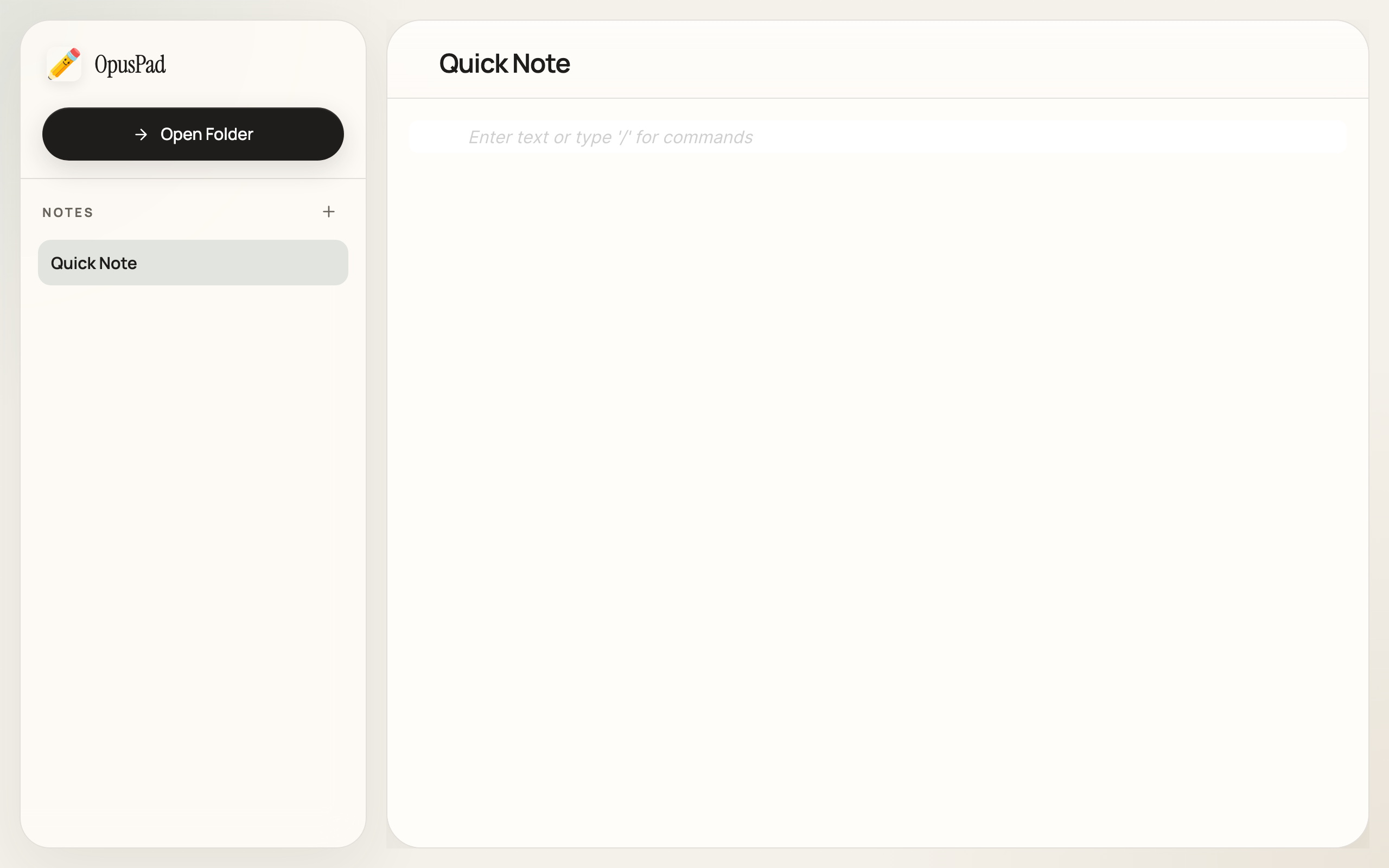
Zero-Setup Scratchpad
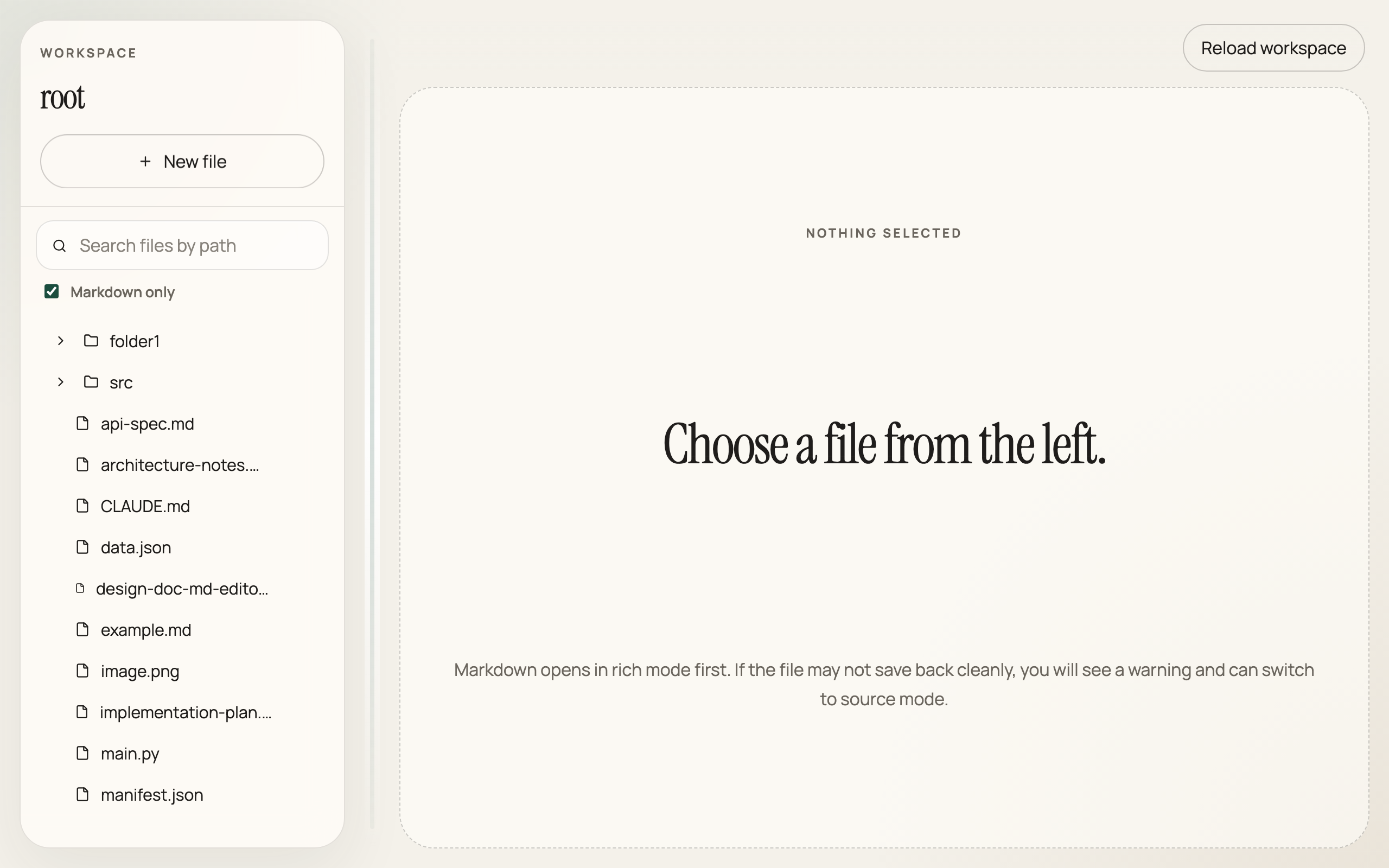
Local Folder Integration
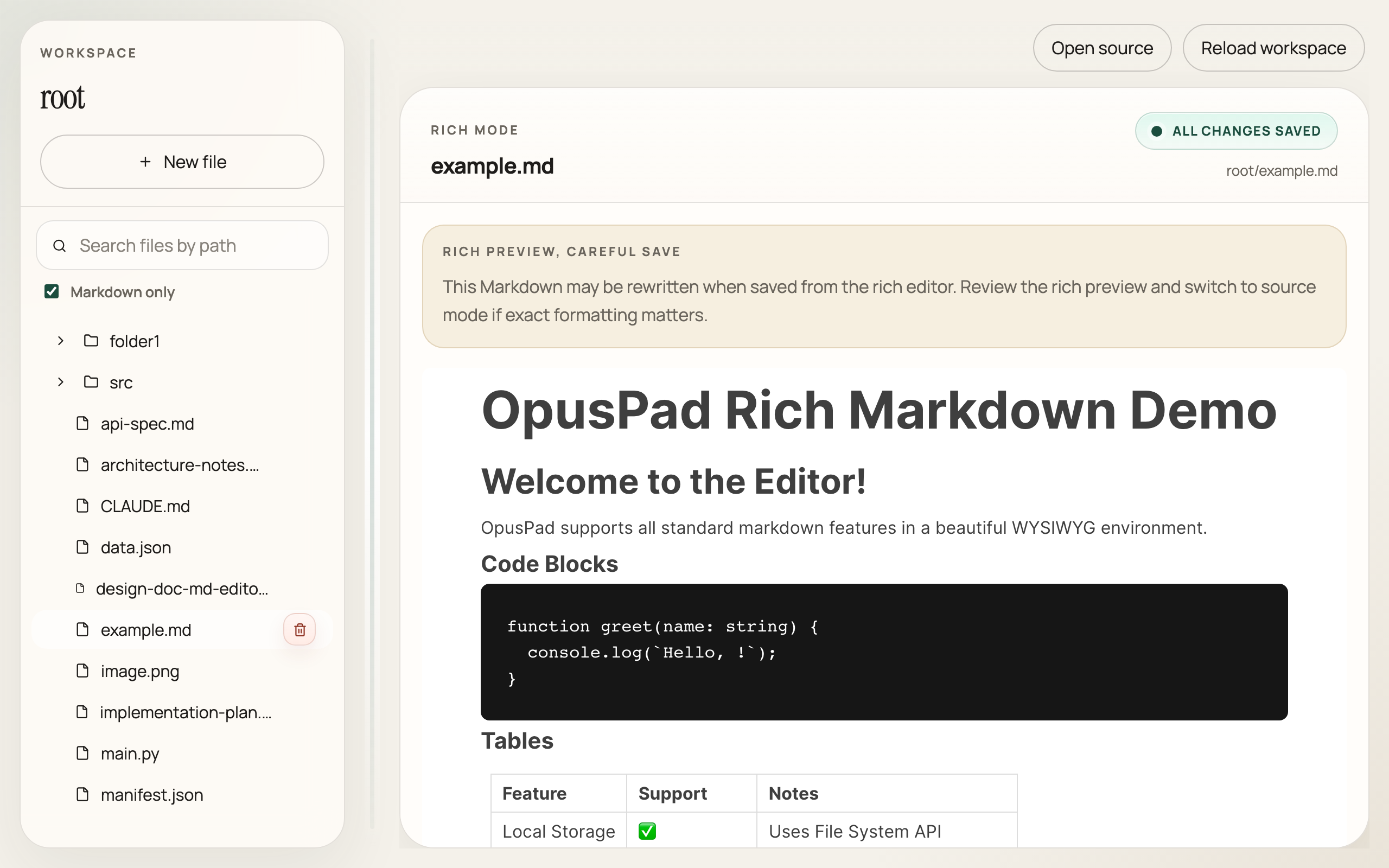
Rich WYSIWYG Markdown
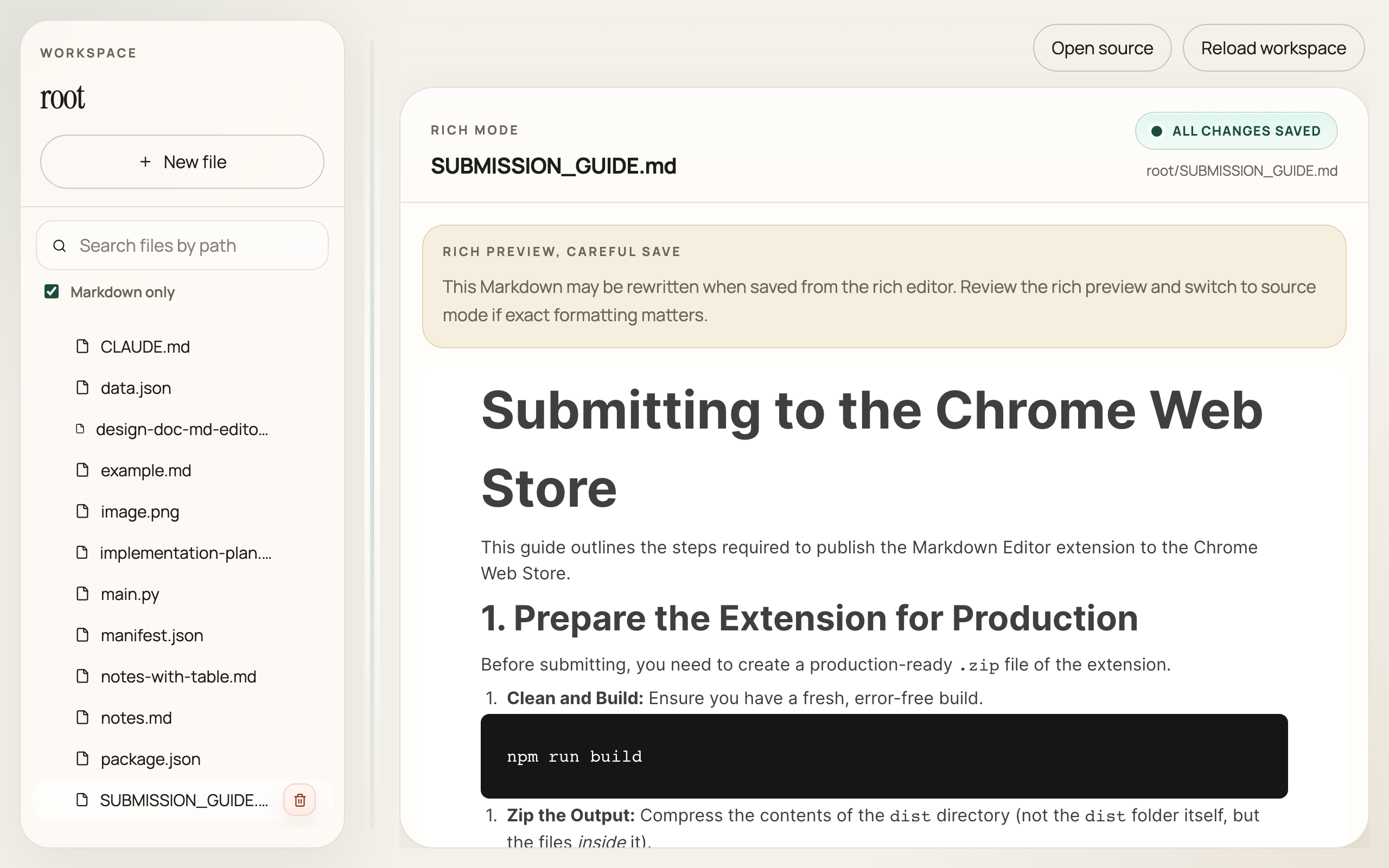
Raw Source Mode
How OpusPad fits spec-driven development
- ✦ Draft specs in readable Markdown
- ✦ Review agent-generated plans and task files
- ✦ Edit implementation notes without breaking formatting
- ✦ Stay synced when tools update files externally
- ✦ Keep everything local and repo-native
The friction-free spec environment
OpusPad makes your local artifacts fast to review, edit, and verify. Zero setup, zero overhead.
Instant Scratchpad
Start writing immediately. A persistent local scratchpad works out of the box without needing to grant folder permissions.
WYSIWYG Editing
Review specs and generated plans without the overhead of raw Markdown noise. Tables, code blocks, and lists render beautifully.
Source Mode
Drop down to raw Markdown for precise edits when structure and document formatting matter.
External Change Detection
When an agent updates your project tracker or CLAUDE.md on disk, OpusPad reloads instantly. Stay seamlessly in sync.
Local File Access
Work directly with your repo artifacts. Open any local folder and read/write directly using Chrome's native File System API.
100% Private
Your sensitive specs, prompts, and architecture documents stay on your machine. Zero telemetry. Zero uploads.
Lightweight
Optimized for quick review loops, not general note-taking fluff. Opens instantly without Electron overhead.
Auto Save
Your edits are saved to disk automatically. Refine a spec and your agent immediately sees the updated file.
Directory Sidebar
Browse your project's spec folders. Smart fuzzy search lets you jump between design docs and implementation notes instantly.
Open Source
Built in the open for developers. Inspect the source code, verify its security, or contribute your own workflow improvements.
Why It Matters
Specs are Working Artifacts
In AI-assisted development, specs are no longer optional notes. Agents read specs, generate plans, update task lists, and write implementation notes. Humans still need a clean place to review, edit, and verify those artifacts.
The Review Loop
Spec-driven development only works if specs stay readable and editable. Agents can generate the draft, but humans still need to inspect, refine, and trust the artifact. OpusPad makes that loop fast by turning raw Markdown into something you can actually work with.
Humans Refine.
Repo-Native Review
TextEdit shows you raw tags. Cloud editors require an upload. OpusPad sits in the sweet spot: browser-native, local-first, and purpose-built for reading and editing the Markdown files already in your repository.
The right tool for spec reviews
OpusPad is customized for agent-written Markdown, not general note-taking.
| Feature | OpusPad | IDE (VS Code) | Note Apps (Obsidian) | Cloud Docs |
|---|---|---|---|---|
| Primary Focus | Spec Review & Editing | Code Authoring | Knowledge Graphs | Collaborative Writing |
| Opens instantly in browser | ✅ | ❌ Heavy | ❌ Separate app | ❌ Multi-step |
| Edits local repo files directly | ✅ | ✅ | ✅ | ❌ Upload required |
| Distraction-free WYSIWYG reading | ✅ | ❌ Split view noise | ✅ | ✅ |
| Auto-reloads on agent file updates | ✅ | ✅ | ⚠️ Varies | N/A |
| Zero setup or plugins required | ✅ Chrome extension | ❌ Plugin heavy | ❌ Overhead | ✅ |
How to use OpusPad
Start reviewing and editing in three simple steps.
Install the extension
Add OpusPad to Chrome from the Web Store. It's completely free and requires no background processes or sign-up.
Start writing (Instant Scratchpad)
Launch the extension and start taking notes instantly. Edits are saved locally and persist between sessions automatically.
Open Folder (Full Workspace)
Click "Open Folder" to bridge to your local project. Review agent-generated plans and sync with your repository artifacts in real-time.
Questions
What is spec-driven development?
A workflow where humans write the architecture documents and requirements (specs), and AI agents write the code. The agent's progress is steered and verified against these text artifacts. This workflow requires keeping Markdown plans up-to-date and highly readable.
Why use OpusPad instead of VS Code for spec review?
VS Code is an incredibly powerful IDE, but its native Markdown experience usually relies on noisy split-views and raw syntax tags. If you are reviewing a product requirement or agent strategy, OpusPad provides a cleaner, distraction-free WYSIWYG environment that feels like a real document editor.
Can I use it with Claude Code, Cursor, or other agents?
Yes. OpusPad reads the same local files your agents interact with. When an agent modifies a plan or implementation note on disk, OpusPad detects the external change and refreshes your view instantly, keeping you perfectly in sync.
Does it upload my specs or project files?
Never. OpusPad is strictly local-first. It reads and writes directly to your local drive using Chrome's File System Access API. There is no server, no cloud sync, and no data collection. Your proprietary code and specs never leave your machine.
Is it free?
Yes. OpusPad is completely free and open source.
Stop reviewing specs as raw Markdown.
Use the local-first editor built for spec-driven development.
Add to Chrome — It's Free